These are editor behaviors the developer documented. Community shortcut lists exist, but the keys below are only the ones the update log actually names.
Simple Properties
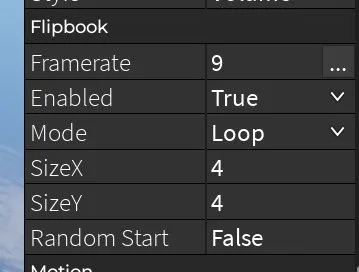
Leave Simple Properties off when you need the full property list. The developer said flipbook particle settings and several spin-part fields are hidden while it is on. If a tutorial mentions a property you cannot see, this switch is the first thing to check.
Selection and snapping
- Selection Box Size, added 19 January 2026, changes the green and blue boxes around a part you are editing.
- Hover highlight was fixed on 23 January 2026 so it respects that size.
- Snap Dragging was broken and fixed on 23 January 2026. If a drag ignores your grid, confirm you are on a client newer than that fix before you change other settings.
- Group Size Mode has Scale, the older default, and Stretch. Stretch resizes each selected part on its own. On PC, hold Left Alt to switch modes while resizing. That shortcut was added 21 August 2024.
Text, Mac, and mobile
- On 15 January 2026, accounts that could not chat because of a Roblox change were again able to add text. If text parts are invisible, age verification was the earlier suspect; a 17 January 2026 note says an attempted fix was made for accounts that had not verified age.
- The Mac Cmd key had an attempted fix on 17 January 2026.
- Multi-select on mobile had a bug, noted in older update compilations, where spin or moving parts looked selected when they were not. The 9 October 2026 handles were rebuilt partly because mobile and console editing was hard. Retest multi-select after those handles.
- Image Search can copy image IDs on mobile again after the 9 October fix, and SoundIds can be copied on mobile after 10 October.
Handles and safety while editing
The new move, resize, and rotate handles accept a custom color in Settings. Use a color you can see against your floor.
The top plugin button stays available when you are not in edit mode, so Sound Search and Server Admin are not locked behind an open slot.
A setup to use on every new slot
- Turn Simple Properties off.
- Set Selection Box Size so you can see the selection on your plot.
- Decide Scale versus Stretch before you resize a group, and remember Left Alt.
- Set the handle color.
- Place a spawn, a checkpoint, and one safe platform, then playtest before the decorative pass.
Keyboard lists that promise Ctrl combinations for duplicate, precision, and axis locks were not in the developer log used here. If Settings or the client shows those shortcuts, trust the client over a copied list.